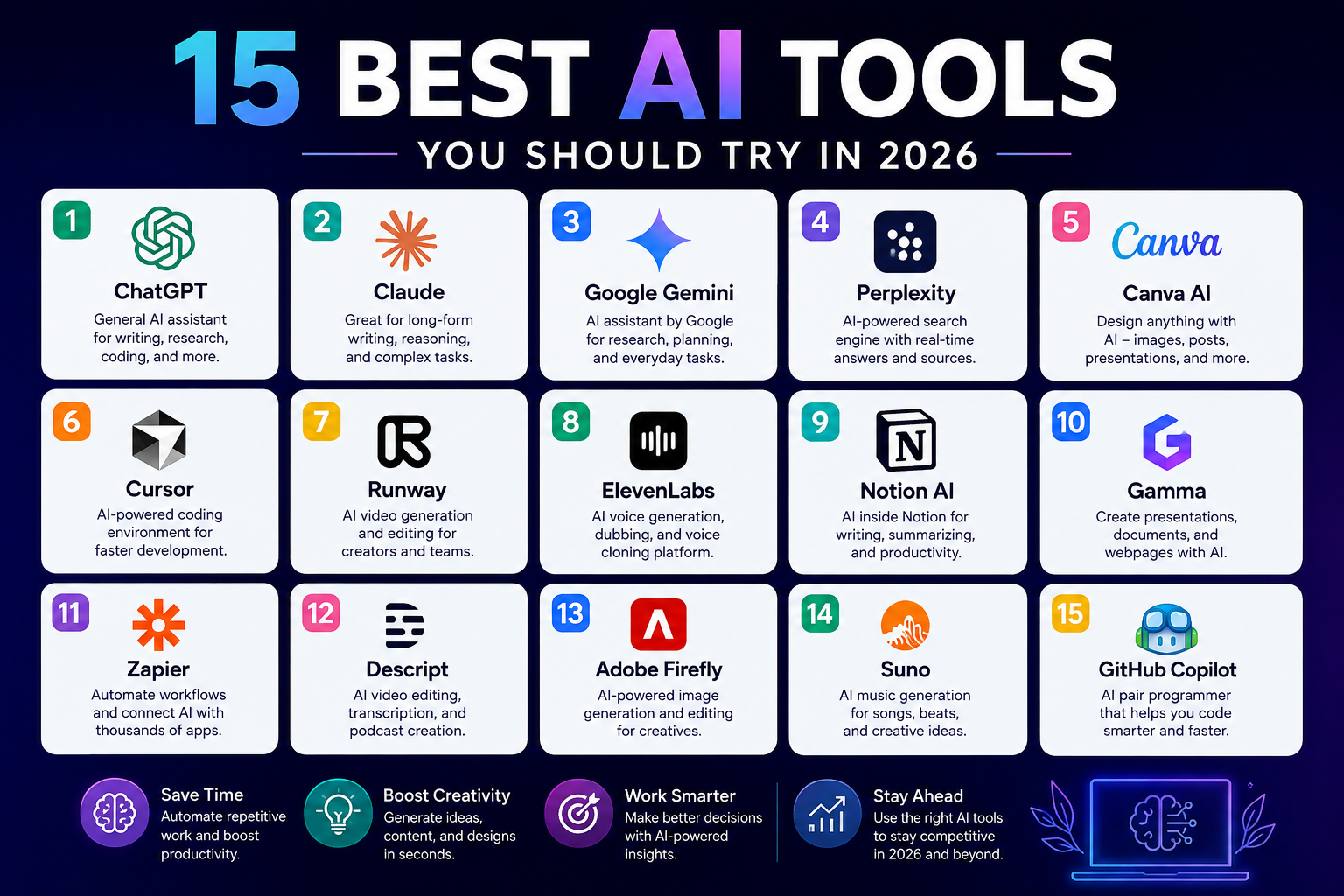

Choosing digital marketing software can feel like walking into a supermarket with 500 brands of the same product. Every platform promises better leads, faster growth, smarter automation, or some magical AI advantage. But for a small business, the real question is much simpler: Which tools actually save time, attract customers, and justify their cost?
The digital marketing landscape has become enormous. Current industry research shows hundreds of marketing products now compete across SEO, email, social media, analytics, advertising, content creation, and automation. (Toolradar) That abundance is useful, but it can also become a problem. A small business doesn’t need twenty subscriptions simply because twenty tools exist.
The strongest marketing stack is usually a focused one. You might need one tool for understanding search demand, another for creating visual content, one for email, one for social scheduling, and a reliable analytics platform to tell you whether any of it is working. Google Analytics, for example, can track website and app activity, measure important conversions, and turn customer behavior into reports that help businesses make better marketing decisions. (Google for Developers)
This guide breaks down 21 of the best digital marketing tools for small businesses in 2026, explaining what each tool does, who should use it, and where it fits into a practical marketing strategy. Some are free or have free plans; others are better suited to businesses ready to invest in growth. The goal isn’t to collect software. It’s to build a marketing system that works.
21 Best Digital Marketing Tools for Small Businesses
Digital Marketing Tools: A Quick Overview
Before choosing individual platforms, it helps to understand what each category is supposed to accomplish. SEO tools help people discover your business through search engines. Email platforms turn contacts into an audience you can communicate with repeatedly. Social media tools reduce the time required to create, schedule, and measure content. Analytics platforms answer the uncomfortable but essential question: Is your marketing actually producing results?
For a small company, these categories should work together rather than operate as isolated islands. Your SEO research can influence your blog content. Your blog can attract visitors. Those visitors can become email subscribers. Social media can distribute the content. Analytics can then show which channels produce traffic, leads, sales, or other valuable actions. That is when marketing software stops being a collection of apps and becomes an actual growth engine.
| Tool | Best for | Category | Budget level |
|---|---|---|---|
| HubSpot | All-in-one marketing and CRM | Marketing automation | Free to premium |
| Google Analytics | Website measurement | Analytics | Free |
| Semrush | SEO and visibility | SEO | Paid |
| Ahrefs | SEO and backlinks | SEO | Paid |
| Google Search Console | Search performance | SEO | Free |
| Canva | Visual content | Design | Free to premium |
| Mailchimp | Email marketing | Free to paid | |
| ActiveCampaign | Marketing automation | Email/CRM | Paid |
| Buffer | Social scheduling | Social media | Free to paid |
| Hootsuite | Social management | Social media | Paid |
| Meta Business Suite | Facebook and Instagram | Social media | Free |
| Google Ads | Paid search | Advertising | Pay-per-click |
| Microsoft Clarity | User behavior | Analytics | Free |
| Hotjar | Heatmaps and feedback | CRO | Free to paid |
| WordPress | Content publishing | CMS | Free to paid |
| Yoast SEO | WordPress SEO | SEO | Free to paid |
| Ubersuggest | Keyword research | SEO | Free/paid |
| Grammarly | Writing assistance | Content | Free to paid |
| Google Business Profile | Local visibility | Local marketing | Free |
| Zapier | Workflow automation | Automation | Free to paid |
| Looker Studio | Reporting dashboards | Analytics | Free |
1. HubSpot
HubSpot is one of the strongest choices for a small business that wants marketing, customer relationship management, lead generation, and automation connected in one ecosystem. Its platform is designed to attract visitors, convert leads, manage customer information, create campaigns, and track marketing performance. Current HubSpot documentation highlights tools for landing pages, email campaigns, paid advertising, social media, reporting, and automation. (HubSpot Knowledge Base)
The major advantage is consolidation. Instead of keeping customer information in one application, email campaigns in another, website forms somewhere else, and reporting in a spreadsheet, you can build a connected workflow around a CRM. HubSpot also offers free tools, making it possible for smaller companies to experiment before committing to a larger software budget. (HubSpot)
Best for: Small businesses wanting an all-in-one marketing and CRM platform.
2. Google Analytics
If you don’t measure your marketing, you’re essentially driving at night without headlights. Google Analytics remains one of the most important analytics platforms for businesses that want to understand how visitors reach and interact with their websites. Google describes the platform as a way to collect website and app data, create reports, understand customer behavior, and measure valuable actions such as conversions. (Google for Developers)
The platform becomes especially useful when you stop obsessing over vanity metrics and start tracking business outcomes. Instead of merely asking how many people visited your website, you can investigate where those visitors came from, what pages they viewed, what actions they took, and which marketing channels contributed to conversions. Google also highlights AI-powered insights and cross-channel measurement in its current Analytics offering. (Google)
Best for: Almost every small business with a website.
3. Semrush
Semrush is designed for businesses that take search visibility seriously. It provides tools for keyword research, competitive analysis, SEO, content, advertising research, and broader online visibility. For a small business trying to compete against established websites, its competitive research capabilities can be particularly valuable because you can investigate what competitors are targeting rather than creating an SEO strategy entirely from guesswork.
The important thing is not to treat Semrush as a button you press to magically rank. SEO still requires good content, useful pages, strong technical foundations, and patience. The tool simply gives you better information with which to make those decisions.
Best for: Businesses investing heavily in SEO and competitive research.
4. Ahrefs
Ahrefs is another major SEO platform, particularly useful for keyword research, backlink analysis, competitor research, and content discovery. Its strength is helping marketers understand the search landscape around a website rather than simply looking at isolated keywords.
For a small business, Ahrefs can answer questions such as which pages attract links, what topics competitors rank for, and which search opportunities might be realistic. That’s valuable because SEO is not just about finding keywords with large search volumes. You need to understand competition, search intent, authority, and the quality of the existing results before investing hours in content.
Best for: SEO-focused businesses and content teams.
5. Google Search Console
Google Search Console is one of the first SEO tools a small business should set up because it provides information directly connected to how Google Search sees a website. It can help website owners monitor search performance, discover indexing problems, inspect pages, and understand queries that bring users to their site.
The beauty of Search Console is its simplicity and cost: it is free. You don’t need a sophisticated SEO budget to begin collecting useful search data. Pairing Search Console with Google Analytics gives you a stronger picture of both search visibility and on-site behavior.
Best for: Every website owner who wants organic search traffic.
6. Canva
Canva has become a practical design workspace for businesses that don’t have a full-time graphic designer. You can create social media graphics, presentations, advertisements, thumbnails, flyers, infographics, documents, and other visual assets using templates and drag-and-drop editing.
For small businesses, that matters because modern marketing is intensely visual. A good article may need a featured image. A social post needs an attractive graphic. An advertisement needs multiple versions. Canva reduces the friction between having an idea and turning that idea into something publishable. Current small-business marketing guides continue to identify Canva as a leading option for social content creation. (Fit Small Business)
Best for: Entrepreneurs who need professional-looking visuals without hiring a designer for every asset.
7. Mailchimp
Email remains one of the most useful owned marketing channels because you aren’t completely dependent on an algorithm deciding whether your audience sees your content. Mailchimp is built around email marketing and related audience-management capabilities, making it a familiar starting point for small businesses building newsletters, promotional campaigns, and automated customer communications.
The strategic advantage of email is repetition. Someone might discover your business today and not purchase until next month. An email list gives you a way to remain present without paying for every interaction. The best campaigns aren’t simply sales announcements; they provide useful information, answer customer questions, share new products, and gradually build trust.
Best for: Small businesses beginning or expanding email marketing.
8. ActiveCampaign
ActiveCampaign is particularly useful when email marketing needs to become more sophisticated. Rather than simply sending the same newsletter to everyone, businesses can build automated sequences based on customer actions, interests, and stages in the buying journey.
Imagine someone downloads your guide. Instead of manually remembering to contact that person three days later, an automated workflow can send a useful follow-up message, then another based on their engagement. This kind of automation becomes increasingly valuable as a business grows because it allows a small team to operate with some of the consistency of a much larger marketing department.
Best for: Businesses that need advanced email automation and customer journeys.
9. Buffer
Buffer is a straightforward social media scheduling platform designed for businesses that want consistency without spending every morning publishing posts manually. Social media marketing becomes exhausting when the business owner has to remember what to post, when to post it, and which platform needs attention.
Scheduling changes that workflow. You can prepare content in batches, arrange a publishing calendar, and spend more time engaging with customers rather than repeatedly performing administrative tasks. For a small company, that distinction matters because consistency beats occasional bursts of enthusiasm.
Best for: Solopreneurs and small teams that need simple social scheduling.
10. Hootsuite
Hootsuite is a broader social media management platform aimed at businesses that need more extensive publishing, monitoring, analytics, and collaboration capabilities. It can make sense when social media becomes a significant operational channel rather than something handled casually.
The platform is particularly relevant for businesses managing several accounts or coordinating social activity across a team. Current comparisons of social media marketing software continue to place scheduling, analytics, engagement management, AI capabilities, supported platforms, and integrations among the major criteria businesses should evaluate. (Fit Small Business)
Best for: Growing businesses managing multiple social channels.
11. Meta Business Suite
If Facebook and Instagram are important to your customers, Meta Business Suite deserves a place in your toolkit. It provides businesses with tools for managing their presence across Meta’s platforms, including content publishing and business-related activity.
The advantage is obvious: you’re working inside the ecosystem where your audience already spends time. For local businesses, ecommerce brands, creators, restaurants, consultants, and service providers, social platforms can become meaningful discovery and customer-service channels. You don’t necessarily need an expensive third-party social platform when your requirements are straightforward.
Best for: Businesses primarily focused on Facebook and Instagram.
12. Google Ads
Organic traffic can take time. Google Ads provides another route: pay to appear when people search for relevant products, services, or solutions. For businesses with clear commercial search intent, paid search can place an offer in front of someone who is already looking for something related to what you sell.
The challenge is economics. A campaign can generate clicks without generating profitable customers. Small businesses should therefore focus on conversion tracking, landing-page quality, keyword relevance, and customer lifetime value rather than simply celebrating a low cost per click. Paid advertising works best when the numbers are connected all the way from click to lead to sale.
Best for: Businesses with proven offers and measurable conversion paths.
13. Microsoft Clarity
Microsoft Clarity is useful when standard analytics tell you what happened, but you want additional clues about why it happened. Session recordings and behavioral insights can help you observe how people interact with pages and where they appear to struggle.
For example, Analytics might show that a product page has a high exit rate. Behavioral tools can help you investigate whether visitors are confused, repeatedly clicking a non-clickable element, struggling with navigation, or abandoning the page around a particular section.
Best for: Businesses trying to improve website usability and conversions.
14. Hotjar
Hotjar combines behavioral analytics and feedback-oriented tools to help businesses understand website visitors more deeply. Heatmaps can show patterns in clicks and scrolling, while other features can help gather qualitative feedback.
This is important because numbers alone can sometimes hide the story. If 70% of visitors never reach your call-to-action, that’s a useful signal. But watching how people interact with the page can provide additional context about what might be causing the problem.
Best for: Conversion-rate optimization and customer experience research.
15. WordPress
WordPress remains one of the most flexible choices for small businesses that want control over their website and content. It can support company websites, blogs, publications, ecommerce projects, landing pages, and specialized content experiences.
The real marketing benefit is ownership. Your website is the hub where search traffic, social traffic, advertising traffic, and email traffic can converge. A social platform can change its algorithm tomorrow; your website remains the central asset you control. That makes a strong content management system an important part of a long-term marketing strategy.
Best for: Businesses building a content-driven website or blog.
16. Yoast SEO
For WordPress users, Yoast SEO can simplify many aspects of on-page search optimization. It helps content creators think about titles, metadata, readability, structured SEO practices, and other elements that influence how pages are presented and organized.
It shouldn’t be mistaken for a guarantee of rankings. Search engines evaluate far more than whether a plugin says a page has passed a particular checklist. Think of Yoast as a navigation system, not the vehicle itself. You still need valuable content, sound site architecture, strong internal linking, and a reason for people to choose your page.
Best for: WordPress publishers who want practical SEO guidance.
17. Ubersuggest
Ubersuggest is a relatively approachable SEO tool for businesses that may find enterprise-grade SEO platforms overwhelming. It can assist with keyword research, competitor analysis, content ideas, and SEO opportunities.
This can be especially useful when you’re starting from scratch. Instead of opening a blank document and asking, “What should I write about?”, keyword research can reveal questions and topics that potential customers are already searching for. The next step is to turn those observations into genuinely useful content rather than simply stuffing keywords into an article.
Best for: Beginners and small businesses building an initial SEO strategy.
18. Grammarly
Marketing involves words everywhere: landing pages, emails, advertisements, product descriptions, social posts, proposals, and blog articles. Grammarly can help catch grammar issues, improve clarity, and refine written communication.
Its biggest value for a small business isn’t necessarily making every sentence sound fancy. It’s helping your communication become clearer and more consistent. A customer shouldn’t have to reread a sentence three times to understand what you’re offering. Clear writing reduces friction, and reduced friction can improve trust.
Best for: Businesses producing lots of written content.
19. Google Business Profile
For local businesses, Google Business Profile can be more valuable than another expensive marketing subscription. It helps eligible businesses manage how they appear in Google’s local search and Maps ecosystem, giving potential customers access to important business information.
For a local restaurant, salon, repair company, clinic, retailer, or professional service provider, local visibility can directly influence customer decisions. Accurate information, strong photos, reviews, business details, and regular activity can all contribute to a stronger local presence.
Best for: Businesses serving customers in a specific geographic area.
20. Zapier
Small businesses lose enormous amounts of time performing repetitive tasks. A lead arrives. Someone copies it into a spreadsheet. Another person sends an email. A notification gets posted in a chat application. The customer gets added to another system.
Zapier can connect different applications so that actions happen automatically when specific triggers occur. That doesn’t mean every task should be automated. It means you can remove repetitive administrative work where the process is predictable, freeing your team to spend more time on customers, strategy, and creative work.
Best for: Small teams looking to automate repetitive marketing workflows.
21. Looker Studio
Looker Studio is useful when your marketing data lives across multiple places and you need a clearer reporting layer. Rather than forcing yourself to open several dashboards every Monday morning, you can create visual reports that bring important metrics together.
This becomes particularly useful when you’re managing SEO, advertising, social media, and website activity simultaneously. A dashboard can help you focus on the metrics that matter instead of drowning in numbers. The goal isn’t to create the prettiest dashboard; it’s to create one that helps you make a better decision.
Best for: Businesses that need customized marketing reports and dashboards.
How to Choose the Right Digital Marketing Tools
The biggest mistake is choosing tools before choosing objectives. Start with the business problem. If your website receives traffic but very few visitors become customers, your priority may be conversion optimization rather than another SEO platform. If nobody can find your website, SEO and local search may matter more. If customers purchase once and disappear, email marketing and retention automation may deserve more attention.
A practical small-business stack might look surprisingly simple. You could start with Google Analytics, Google Search Console, Google Business Profile, Canva, WordPress, and one email platform. Add a dedicated SEO platform when your organic strategy becomes serious. Add automation when repetitive workflows begin consuming meaningful amounts of time. Add advanced reporting when your data becomes too fragmented to manage manually.
This approach is financially healthier too. Current research into small-business marketing software shows a significant number of tools offer free or freemium plans, meaning businesses can often test a workflow before paying for a larger platform. (Toolradar) The important word is test. Don’t subscribe to five platforms because they look impressive in comparison articles. Pick the smallest stack capable of solving the problem.
Free vs. Paid Marketing Tools
Free tools are excellent for establishing the basics, but free doesn’t always mean sufficient. Google Analytics and Google Search Console can provide substantial value without a subscription, while Canva and other platforms can let you start without a significant upfront investment.
Paid tools become more compelling when the information they provide can influence decisions worth more than the subscription cost. If an SEO platform helps you identify a content opportunity that produces thousands of dollars in additional revenue, the monthly fee looks very different. The right question isn’t “Is this tool expensive?” It’s “Can this tool reliably create or protect more value than it costs?”
A Simple Digital Marketing Stack for Beginners
If you’re overwhelmed by the options, start with six core tools:
- Google Analytics for measurement.
- Google Search Console for search visibility.
- Google Business Profile for local discovery.
- Canva for visual content.
- WordPress for your website and content.
- Mailchimp or another suitable email platform for audience retention.
Once those pieces are working, add tools according to your bottleneck. If SEO is your priority, consider Semrush, Ahrefs, or Ubersuggest. If social media consumes too much time, consider Buffer or Hootsuite. If your team repeats the same administrative tasks every week, investigate Zapier. If visitors behave unpredictably on your website, consider Clarity or Hotjar.
That progression is much healthier than trying to implement twenty-one tools simultaneously. Marketing technology should make your business simpler, not create another full-time job.
What Should Small Businesses Look for in Marketing Software?
Look for five things: usefulness, usability, integration, scalability, and cost. A tool can have hundreds of features and still be wrong for your company if your team doesn’t understand how to use it. Likewise, a cheap application isn’t a bargain if it creates hours of additional manual work every month.
Integration deserves special attention. Your email platform should ideally communicate with the systems where customer information lives. Your analytics should connect with your website and advertising ecosystem. Your reporting should pull information from the channels you actually use. The closer these systems work together, the less time you’ll spend copying numbers from one dashboard to another.
You should also evaluate the learning curve. Small businesses rarely have unlimited staff, so software that requires weeks of training can carry a hidden cost. Sometimes the simpler tool wins even when another platform offers more features.
How to Build a Small-Business Marketing Stack Without Overspending
Start with your customer journey. Where does someone first discover you? What makes them trust you? What action turns interest into a lead? What eventually produces revenue? Once you’ve mapped that journey, choose software that supports the weakest part.
For example, imagine a local service company already receives strong referrals but has almost no online visibility. Buying sophisticated email automation software probably isn’t the first move. A better sequence might be Google Business Profile, a stronger website, Search Console, Analytics, useful local content, and eventually paid advertising.
Now imagine a business receiving thousands of monthly visitors but converting very few into customers. The priority changes. Analytics, Clarity, Hotjar, landing-page testing, and email capture might provide more value than another keyword database.
The best marketing stack isn’t the biggest stack. It’s the stack that removes your biggest bottlenecks.
Conclusion
The best digital marketing tools for small businesses are not necessarily the tools with the longest feature lists. They are the platforms that help you understand customers, create useful content, reach the right audience, automate repetitive work, and measure whether your efforts are producing business results.
For many companies, the foundation can remain surprisingly lean: Google Analytics, Search Console, Google Business Profile, Canva, a website platform, and an email tool. From there, specialized platforms such as Semrush, Ahrefs, Buffer, HubSpot, ActiveCampaign, Zapier, Clarity, and Looker Studio can be added when a specific problem justifies them.
Don’t let software become a distraction from marketing itself. A dashboard cannot replace a compelling offer. An AI writing assistant cannot replace customer understanding. An SEO platform cannot rescue content that doesn’t satisfy search intent. Tools are the machinery; your strategy is the engine.
Start small. Measure everything that matters. Keep the tools your team actually uses, remove the ones that create unnecessary complexity, and reinvest in software only when it helps you serve customers or grow revenue more effectively.
FAQs
1. What is the best digital marketing tool for a small business?
There isn’t one universal winner because different businesses have different priorities. HubSpot is a strong option for companies wanting an integrated CRM and marketing platform, while Google Analytics is an essential measurement tool for almost any website. For SEO, businesses may consider platforms such as Semrush, Ahrefs, or Ubersuggest depending on their budget and sophistication.
2. What are the best free digital marketing tools for small businesses?
Google Analytics, Google Search Console, Google Business Profile, and Looker Studio are excellent starting points. Canva and several email and social media platforms also offer free plans or free entry-level capabilities. The best free stack depends on whether your immediate challenge is SEO, content, social media, email, or measurement.
3. How many marketing tools does a small business actually need?
Most small businesses don’t need dozens of subscriptions. A practical starting stack might contain five to seven core tools covering analytics, search, content, website management, email, and social media. Add specialized software only when you can identify a specific problem that it solves.
4. Are paid marketing tools worth the money?
They can be, provided they generate enough value to justify their cost. Paid software becomes especially useful when it saves substantial time, provides information unavailable elsewhere, automates repetitive work, or helps identify profitable opportunities. Always compare the subscription cost against measurable business outcomes rather than the number of features.
5. What should a small business automate first?
Start with repetitive, predictable tasks that don’t require much human judgment. Lead notifications, email follow-ups, data transfers, reporting, social scheduling, and customer segmentation are common candidates. Tools such as Zapier and marketing automation platforms can help connect these workflows, but automation should support a good process rather than automate a broken one.