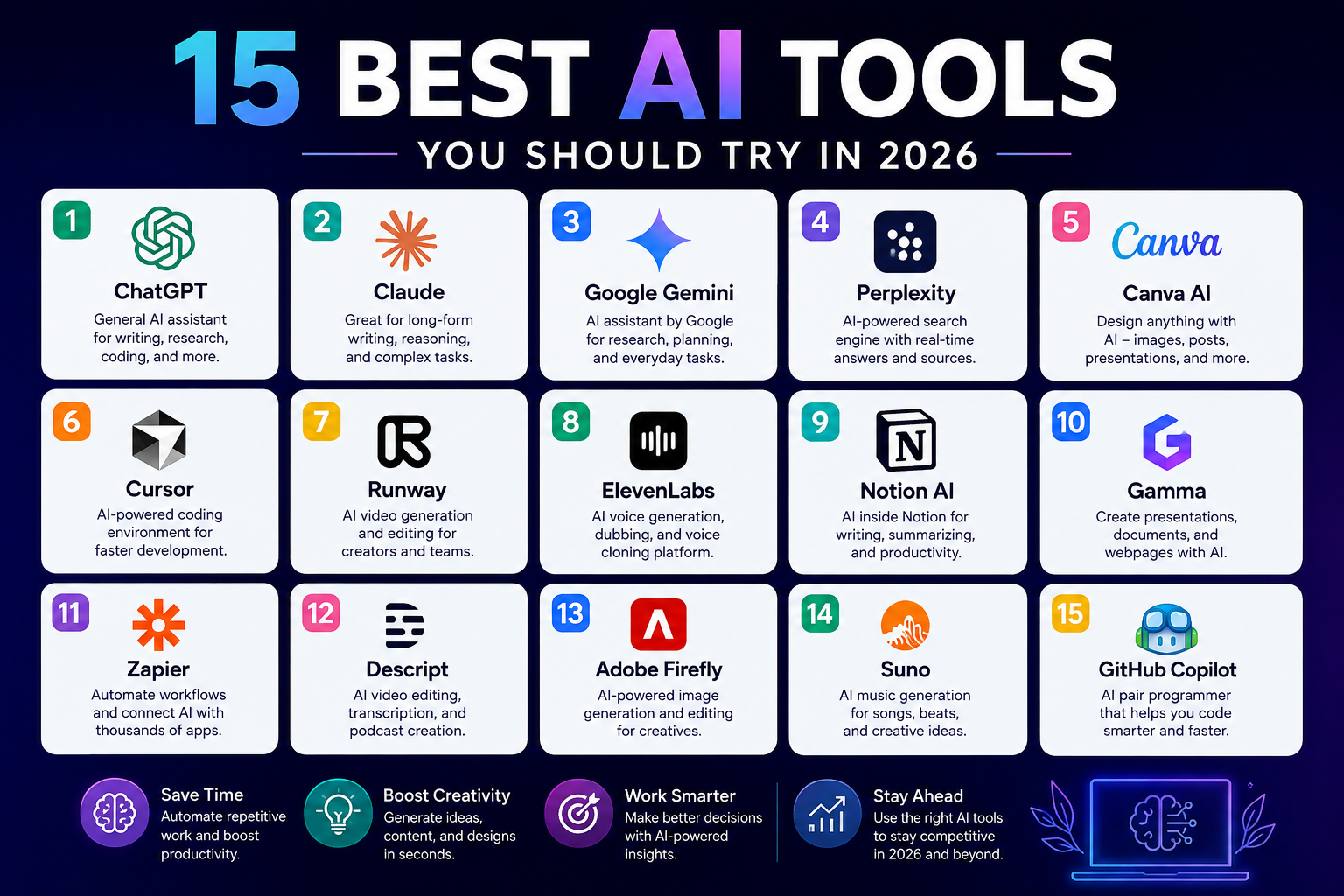
Artificial intelligence tools have become useful for much more than generating text. In 2026, you can use AI to research topics, write and edit content, create images and videos, build presentations, analyze information, write software, automate repetitive tasks, and organize projects.
The challenge is choosing the right tool.
There are hundreds of AI products available, and many overlap in what they can do. Some are general-purpose assistants, while others are designed for a specific job such as coding, video production, presentations, research, or automation.
This guide covers 15 of the best AI tools you should try in 2026, with an emphasis on practical use rather than hype. The list includes both established platforms and specialized tools that can fit different workflows.
Features, pricing, model availability, usage limits, and regional access can change quickly, so check each provider’s official website before subscribing or making an important workflow decision.
How We Chose These AI Tools
A useful AI tool should solve a real problem. Popularity alone is not enough.
For this list, the tools were selected based on factors such as:
- Practical usefulness: Can the tool solve common problems?
- Ease of use: Can a new user understand the basic workflow?
- Range of applications: Does it work across several useful tasks?
- Specialization: Does it perform particularly well in a specific area?
- Current development: Is the product actively receiving meaningful updates?
- Workflow value: Can it fit naturally into work, study, business, or creative projects?
- Limitations: Are there important weaknesses users should understand?
AI tools also change quickly. A tool that is excellent for one task may not be the best choice six months later. Treat this list as a practical starting point rather than a permanent ranking.
The 15 Best AI Tools You Should Try in 2026
1. ChatGPT
Best for: General-purpose AI assistance, writing, research, analysis, coding, and creative work.
ChatGPT remains one of the most versatile AI tools for everyday users.
It can help you brainstorm ideas, explain difficult subjects, draft and revise documents, analyze files, work with data, generate images, research information, and assist with coding. Depending on the plan and available features, it can also use tools such as web search, deep research, file analysis, image generation, voice, Canvas, Projects, and other specialized capabilities. (OpenAI Help Center)
What makes ChatGPT useful?
The main advantage is flexibility. You do not need a separate application for every small task.
For example, a website owner could use it to:
- Research a topic.
- Create an article outline.
- Analyze a spreadsheet.
- Write a first draft.
- Generate ideas for social media.
- Review code.
- Create an image concept.
OpenAI has continued expanding ChatGPT throughout 2026. Recent updates include expanded file and conversation search, agent-style work capabilities, improvements to coding tools, and newer image-generation features. (OpenAI Help Center)
Limitation
ChatGPT can still produce incorrect information. For important facts, research, legal matters, financial decisions, or technical specifications, verify the answer against reliable sources.
Best choice if: You want one AI assistant that can handle many different tasks.
2. Claude
Best for: Long-form writing, document work, coding, reasoning, and complex professional tasks.
Claude from Anthropic is another strong general-purpose AI assistant.
It is particularly useful when you need to work through large amounts of text or structure a complicated task. Anthropic has continued developing Claude’s capabilities for coding, tool use, agentic workflows, and professional knowledge work in 2026. (Anthropic)
Claude can help with:
- Writing and editing
- Document analysis
- Summarization
- Brainstorming
- Coding
- Research assistance
- Data interpretation
- Planning complex projects
Anthropic has also introduced products and features designed for specialized work, including Claude Design and Claude Science. (Anthropic)
Limitation
Claude’s available models, usage limits, and features depend on the plan and can change over time.
Best choice if: You regularly work with long documents, detailed writing, software development, or complex knowledge tasks.
3. Google Gemini
Best for: Google users, research, planning, multimodal tasks, and connected workflows.
Google Gemini is a strong option for people already using Google’s services.
Gemini can assist with writing, planning, learning, image creation, research, and other everyday tasks. Google has been moving Gemini toward more proactive and agent-like workflows during 2026. (blog.google)
Recent updates have added features such as Gemini Spark, newer Flash models, macOS support, personalized image generation, and connections with additional apps and services. (blog.google)
Example use
Imagine you are planning a business trip. You could use Gemini to organize information, draft an itinerary, work with connected services, and refine the plan through conversation.
Limitation
Some features are limited by country, device, account type, or subscription. Google explicitly notes regional limitations for certain Gemini features. (blog.google)
Best choice if: You already use Google products and want AI assistance integrated into that environment.
4. Perplexity
Best for: AI-powered web research and source-backed answers.
Perplexity takes a different approach from traditional chatbots. It focuses heavily on web research and cited answers.
Its platform combines AI models with web search, allowing users to investigate questions and follow sources. Perplexity describes its current platform as a web-first AI system with research, computer-use, and multi-model capabilities. (Perplexity AI)
Why researchers may like it
Instead of asking an AI model a question and receiving an unsupported response, you can use Perplexity to investigate a subject and inspect the sources behind its answer.
For example, you could search:
“What are the latest changes in electric vehicle battery technology?”
Then review the sources before using the information in an article or report.
Limitation
Citations do not automatically make every answer correct. You should still open important sources and check whether they actually support the claim.
Best choice if: You frequently research current information and want sources included with AI-generated answers.
5. Canva AI
Best for: Graphic design, social media content, presentations, images, and marketing materials.
Canva has moved well beyond traditional template-based design.
Its AI tools can help users create designs, images, documents, presentations, and interactive experiences from natural-language instructions. Canva’s 2026 AI 2.0 announcement describes conversational design, agentic editing, layered editable output, web research, brand intelligence, scheduling, and other AI-powered workflows. (Canva)
One particularly useful idea is editable AI output. Canva has introduced technology designed to turn flat AI-generated images into editable, multilayered designs. (Canva)
Practical example
A small business could start with:
“Create a promotional Instagram post for a weekend sale using a clean black-and-white design with one accent color.”
The AI can produce a starting point that you can manually adjust.
Limitation
AI-generated designs still need human review. Text placement, brand consistency, image accuracy, and visual hierarchy may require manual changes.
Best choice if: You want AI-assisted design without learning advanced professional design software.
6. Cursor
Best for: AI-assisted software development.
Cursor is an AI coding environment designed around software development.
Rather than using AI only to autocomplete a few lines, Cursor focuses heavily on agents that can understand a codebase, plan tasks, modify files, and help developers work through larger software projects. (Cursor)
Its 2026 product updates include cloud agents, visual prompts through Design Mode, mobile access, model routing, and other developer-focused improvements. (Cursor)
Example
A developer could ask Cursor to:
- Find where a bug is occurring.
- Explain the relevant files.
- Propose a fix.
- Modify the code.
- Run tests.
- Review the result.
That can be useful for experienced developers who want to spend more time reviewing solutions and less time performing repetitive edits.
Limitation
AI-generated code can contain bugs, security problems, inefficient logic, or incorrect assumptions. You still need to review and test code before deploying it.
Best choice if: You write software and want an AI coding agent integrated into your development environment.
7. Runway
Best for: AI video generation and creative production.
Runway is designed for AI-powered video creation.
Its Gen-4 technology focuses on generating video while maintaining consistency across characters, objects, environments, and visual styles. Runway describes Gen-4 as a model designed for controllable media generation and world consistency. (Runway)
The tool can be useful for:
- Concept videos
- Short-form social content
- Visual experiments
- Product concepts
- Storyboards
- Creative video production
- Previsualization
Runway’s current documentation also shows that different models have different credit requirements and generation specifications. (Runway Help)
Limitation
AI video generation can consume credits quickly, and generated footage may still contain visual inconsistencies or require editing.
Best choice if: You want to experiment with AI-generated video without building a complex production pipeline from scratch.
8. ElevenLabs
Best for: AI voice generation, voiceovers, dubbing, and audio applications.
ElevenLabs specializes in AI-generated audio and voice technology.
Its platform includes text-to-speech, voice-related tools, transcription, dubbing, music, and AI agents. The company has continued expanding beyond basic voice generation during 2026. (ElevenLabs)
Practical uses
A creator could use an AI voice tool to produce:
- Narration for educational videos
- Voiceovers for presentations
- Podcast production
- Multilingual content
- Prototype audio
- Accessibility-oriented audio content
Limitation
Voice cloning raises important consent, privacy, identity, and rights considerations. Only clone or reproduce voices when you have appropriate permission and follow the platform’s rules.
Best choice if: You need realistic AI-generated speech or voice production.
9. Notion AI
Best for: Notes, project management, internal knowledge, documentation, and team workflows.
Notion AI is built directly into the Notion workspace.
It can help with writing, research, meeting notes, databases, document editing, workspace search, and task-oriented AI agents. Notion’s current AI offering includes Notion Agent, Enterprise Search, AI Meeting Notes, Research Mode, and other features. (Notion)
This makes it particularly useful for people who already organize their work in Notion.
Example
Suppose you keep customer feedback in a Notion database. AI can help organize that information, summarize recurring issues, and turn notes into structured documentation.
Notion also introduced AI image generation and editing inside pages during 2026. (Notion)
Limitation
Advanced AI functionality is tied to certain plans and usage systems. Check Notion’s current plan information before budgeting for a team.
Best choice if: Your projects, notes, databases, and documentation already live in Notion.
10. Gamma
Best for: AI presentations, documents, webpages, and visual communication.
Gamma is useful when you have information but do not want to spend hours designing a presentation from scratch.
Its AI workflow can start from a prompt, pasted text, or imported material and turn it into a structured presentation, document, or webpage. (Gamma Help Center)
Example
You could provide:
“Create a 12-slide presentation explaining our digital marketing strategy for small businesses.”
Gamma can create a starting structure that you then review and edit.
It can also export presentations to formats such as PowerPoint and PDF, depending on the current feature set and plan. (Gamma)
Limitation
A generated presentation is a draft, not automatically a finished presentation. You should verify facts, improve the narrative, and make sure the slides match your audience.
Best choice if: You need a presentation quickly and want AI to handle the initial structure and design.
11. Zapier
Best for: Automation and connecting AI to other applications.
Zapier is useful when your biggest problem is not generating content but moving information between different tools.
Its AI and automation features can connect workflows across applications and help organizations build more complex automated processes. Zapier’s 2026 material describes AI orchestration as coordinating AI processes across existing applications and workflows. (Zapier)
Example workflow
A simple business workflow could look like this:
New website form submission → AI summarizes inquiry → CRM record created → sales notification sent → follow-up task created.
That can remove several repetitive manual steps.
Limitation
Automation needs careful testing. A poorly configured workflow can send incorrect information, create duplicate records, or trigger unwanted actions.
Best choice if: You want AI and automation to work across several business applications.
12. Descript
Best for: Video editing, podcasts, transcription, captions, and content repurposing.
Descript approaches video editing differently from traditional timeline-first editors.
It lets you work with video and audio through text-based editing while providing AI tools for transcription, captions, voice, audio enhancement, clips, and other production tasks. (Descript)
Example
If you record a 30-minute educational video, you could use Descript to:
- Transcribe the recording.
- Remove unwanted sections through text editing.
- Clean up audio.
- Create captions.
- Generate shorter clips.
- Prepare the content for different platforms.
Limitation
AI editing still needs review. Automatic cuts, transcription errors, or generated speech can sometimes produce mistakes that are obvious only after watching the finished video.
Best choice if: You create podcasts, YouTube videos, tutorials, interviews, or social video content.
13. Adobe Firefly
Best for: AI-assisted creative work within Adobe’s design ecosystem.
Adobe Firefly is aimed at generative creative tasks such as image creation and editing and fits naturally into workflows involving Adobe’s broader creative applications.
For designers and marketers already using Adobe products, the main advantage is workflow integration rather than simply having another standalone image generator.
What you can use it for
Depending on the available features and plan, Firefly can support tasks such as:
- Image generation
- Generative editing
- Creative variations
- Background changes
- Concept development
- Marketing graphics
- Visual experimentation
Limitation
AI-generated visual content still requires careful review, especially when it is used commercially. Always check the current terms, content credentials, licensing information, and usage conditions for the specific Adobe feature you are using.
Best choice if: You already work with Adobe Creative Cloud and want generative AI inside a professional creative workflow.
14. Suno
Best for: AI-assisted music creation.
Suno is designed for generating music with AI.
It can be useful for experimenting with musical ideas, creating background tracks, prototyping songs, and exploring different styles without traditional music-production equipment.
Practical uses
A content creator could use an AI music platform to experiment with:
- Background music
- Intro and outro concepts
- Short social videos
- Song ideas
- Musical demos
- Creative projects
Limitation
Music generated by AI raises important questions about copyright, licensing, commercial usage, and ownership. The rules can vary by service, plan, jurisdiction, and use case.
Before publishing AI-generated music commercially, read the platform’s current licensing terms and understand what rights your plan provides.
Best choice if: You want to experiment with music creation and quickly turn ideas into audio concepts.
15. GitHub Copilot
Best for: Developers who want AI assistance while coding.
GitHub Copilot is another major AI coding option, particularly for developers who already use GitHub and common development environments.
It can assist with code completion, explanations, debugging, documentation, and other programming tasks. Modern AI coding assistants are increasingly moving from simple autocomplete toward more agent-oriented development workflows.
Example
Instead of manually writing a repetitive function, you could describe what the function should do and ask Copilot to generate an initial implementation.
You can then:
- Read the generated code.
- Test it.
- Check edge cases.
- Review security implications.
- Modify it as necessary.
- Commit the final version.
Limitation
Never assume generated code is automatically secure or correct. Code should go through normal testing, code review, dependency checks, and security practices.
Best choice if: You want AI coding assistance while staying inside a GitHub-centered development workflow.
Quick Comparison of the 15 AI Tools
| AI Tool | Best For | Ideal User |
|---|---|---|
| ChatGPT | General AI assistance | Almost anyone |
| Claude | Writing, reasoning, documents | Professionals and developers |
| Gemini | Google-connected workflows | Google users |
| Perplexity | Research | Students, researchers, writers |
| Canva AI | Design and visual content | Creators and marketers |
| Cursor | AI coding | Developers |
| Runway | AI video | Video creators |
| ElevenLabs | AI voice | Creators and businesses |
| Notion AI | Knowledge and productivity | Teams and individuals |
| Gamma | Presentations | Professionals and students |
| Zapier | Automation | Businesses and teams |
| Descript | Video and podcasts | Creators |
| Adobe Firefly | Creative generation | Designers and marketers |
| Suno | AI music | Musicians and creators |
| GitHub Copilot | Coding assistance | Developers |
Which AI Tool Should You Choose?
You do not need all 15 tools.
In fact, subscribing to too many AI services can create unnecessary costs and make your workflow harder to manage.
Instead, start with the problem you want to solve.
If you need one general AI assistant
Start with ChatGPT, Claude, or Gemini.
Try the free or available entry-level options first and compare how each handles your actual tasks.
If research is your priority
Try Perplexity.
It is particularly useful when you need to search the web and inspect sources as part of the research process.
If you create social media graphics
Try Canva AI.
It combines AI features with a broader visual editing environment, which is useful when you need to manually adjust the final design.
If you create presentations
Try Gamma.
It can turn an outline or source material into a structured visual presentation that you can then refine.
If you write software
Consider Cursor or GitHub Copilot.
Your choice will depend on whether you prefer an AI-first coding environment or AI assistance integrated into your existing GitHub and development workflow.
If you make videos
Try Runway for generative video and Descript for editing, transcription, and content repurposing.
If you need AI voice
Try ElevenLabs.
Make sure you understand the platform’s rules before using voice cloning or commercially distributing generated audio.
If your work is organized in Notion
Notion AI may be the most practical choice because the AI is integrated into the workspace where your information already exists.
How to Use AI Tools More Effectively
The quality of your workflow depends on more than the AI tool itself.
1. Start with a specific goal
Weak prompt:
“Write something about marketing.”
Better prompt:
“Create a 1,200-word beginner’s guide to email marketing for small online businesses. Use clear headings, practical examples, and explain three common mistakes.”
Specific instructions give the AI a clearer target.
2. Give the AI useful context
If you want a useful result, provide relevant information.
For example, when asking AI to write a product description, provide:
- Product name
- Target customer
- Main features
- Price range
- Brand voice
- Key benefits
- Important limitations
The AI has more information to work with, so the first draft is more likely to be useful.
3. Treat AI output as a draft
This is especially important for factual content.
AI systems can produce plausible-sounding errors. Check names, dates, statistics, prices, technical specifications, and claims before publishing them.
4. Use specialized tools for specialized tasks
A general chatbot may help you brainstorm a video, but a dedicated video tool can provide a better production workflow.
Likewise, a general AI assistant can write code, but a coding-focused environment may be better for managing a real software project.
5. Check privacy before uploading sensitive information
Before uploading confidential documents, customer information, business records, passwords, private communications, or other sensitive material, review the provider’s privacy and data-use policies.
Do not assume that every AI service handles information in the same way.
Are AI Tools Free in 2026?
Many AI tools offer some form of free access, but free plans usually have limitations.
You may encounter restrictions involving:
- Number of messages
- File uploads
- Image generation
- Video credits
- Audio generation
- Model access
- Processing speed
- Storage
- Automation runs
- Export options
Paid plans may provide higher limits or additional features.
The best approach is to test the free version with your real workflow before paying for a subscription. If you use an AI tool frequently enough to save meaningful time, a paid plan may make sense. If you only use it occasionally, the free version may be sufficient.
Because AI pricing changes frequently, check the official pricing page before making a purchase.
Are AI Tools Replacing Human Work?
AI tools are changing how many tasks are performed, but their usefulness depends heavily on the task.
AI is good at generating drafts, processing information, identifying patterns, producing variations, and handling repetitive work.
Humans remain responsible for decisions, judgment, context, accuracy, originality, and accountability.
For example, AI can draft a marketing article. A human editor should still decide whether the information is accurate, whether the article actually helps readers, whether the tone fits the audience, and whether the claims are supported.
The strongest workflow for many users is therefore AI-assisted work with human review, rather than blindly publishing or deploying whatever an AI system produces.
Common Mistakes to Avoid When Using AI
Relying on the first answer
The first response is rarely the final version you want.
Ask follow-up questions, provide additional context, and request revisions.
Using AI without fact-checking
A polished answer can still be wrong.
Verify important information using reliable primary sources.
Paying for too many tools
You may not need five writing assistants and three image generators.
Choose tools based on actual workflow needs.
Uploading private information carelessly
Read privacy policies before sending sensitive data to an AI platform.
Ignoring copyright and licensing
Generated text, images, video, music, and voices can involve different rights and restrictions.
Check the provider’s current terms before using generated content commercially.
Frequently Asked Questions
1. What are the best AI tools to try in 2026?
Some of the most useful options include ChatGPT, Claude, Gemini, Perplexity, Canva AI, Cursor, Runway, ElevenLabs, Notion AI, Gamma, Zapier, Descript, Adobe Firefly, Suno, and GitHub Copilot. The best choice depends on what you need to accomplish.
2. Which AI tool is best for beginners?
For beginners, a general-purpose assistant such as ChatGPT, Claude, or Gemini is a practical starting point. You can learn basic prompting and then move to specialized tools when you have a specific need.
3. Which AI tool is best for content creation?
There is no single best option for every type of content. ChatGPT, Claude, and Gemini can help with writing and ideas, while Canva AI is useful for visual content, Descript for video and podcasts, ElevenLabs for voice, and Runway for generative video.
4. Are AI tools safe to use?
AI tools can be useful, but you should use them carefully. Avoid sharing sensitive information unless you understand the provider’s data practices. For important decisions, verify AI-generated information using reliable sources.
5. Do I need to pay for AI tools?
Not necessarily. Many services provide free access with limits. You should test a tool with your real workload before deciding whether a paid subscription provides enough value.
Conclusion
The 15 best AI tools you should try in 2026 cover a wide range of practical needs.
ChatGPT, Claude, and Gemini are strong general-purpose options. Perplexity is useful for research. Canva AI and Adobe Firefly support visual creation. Cursor and GitHub Copilot help developers. Runway and Descript cover different parts of video production. ElevenLabs focuses on voice, Suno on music, Gamma on presentations, Notion AI on knowledge work, and Zapier on automation.
You do not need to use every tool on this list.
Start with one tool that solves a problem you already have. Test it with real work, review its limitations, and decide whether it genuinely improves your process. If it does, build a simple workflow around it before adding another service.
AI tools are changing quickly, so revisit your choices regularly and check official product documentation for current features, pricing, privacy policies, and availability.